Undated digital planner
Cloverday
An undated, interactive planner that runs in your browser — budget tracker, habit streaks, goal pacing, and a full year of pages. No app, no subscription.
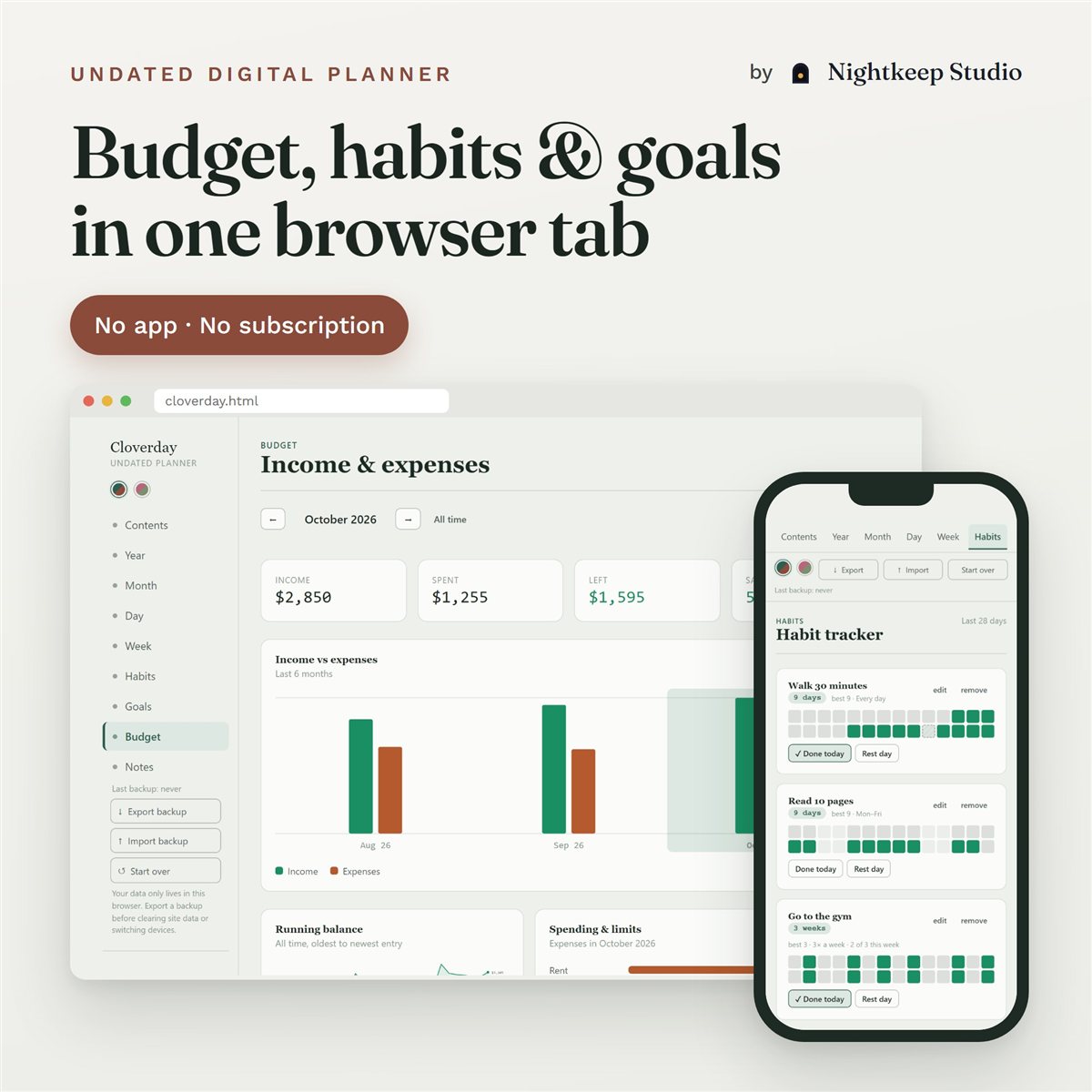
An undated, interactive planner that runs in your browser — budget tracker, habit streaks, goal pacing, and a full year of pages. No app, no subscription.
One HTML file. Open it in any browser on a laptop, tablet, or phone — no install, no account.
Everything saves locally in your browser. Export a backup any time and carry it to another device.
No subscription, no recurring fee. Buy once, use it for as long as you want.
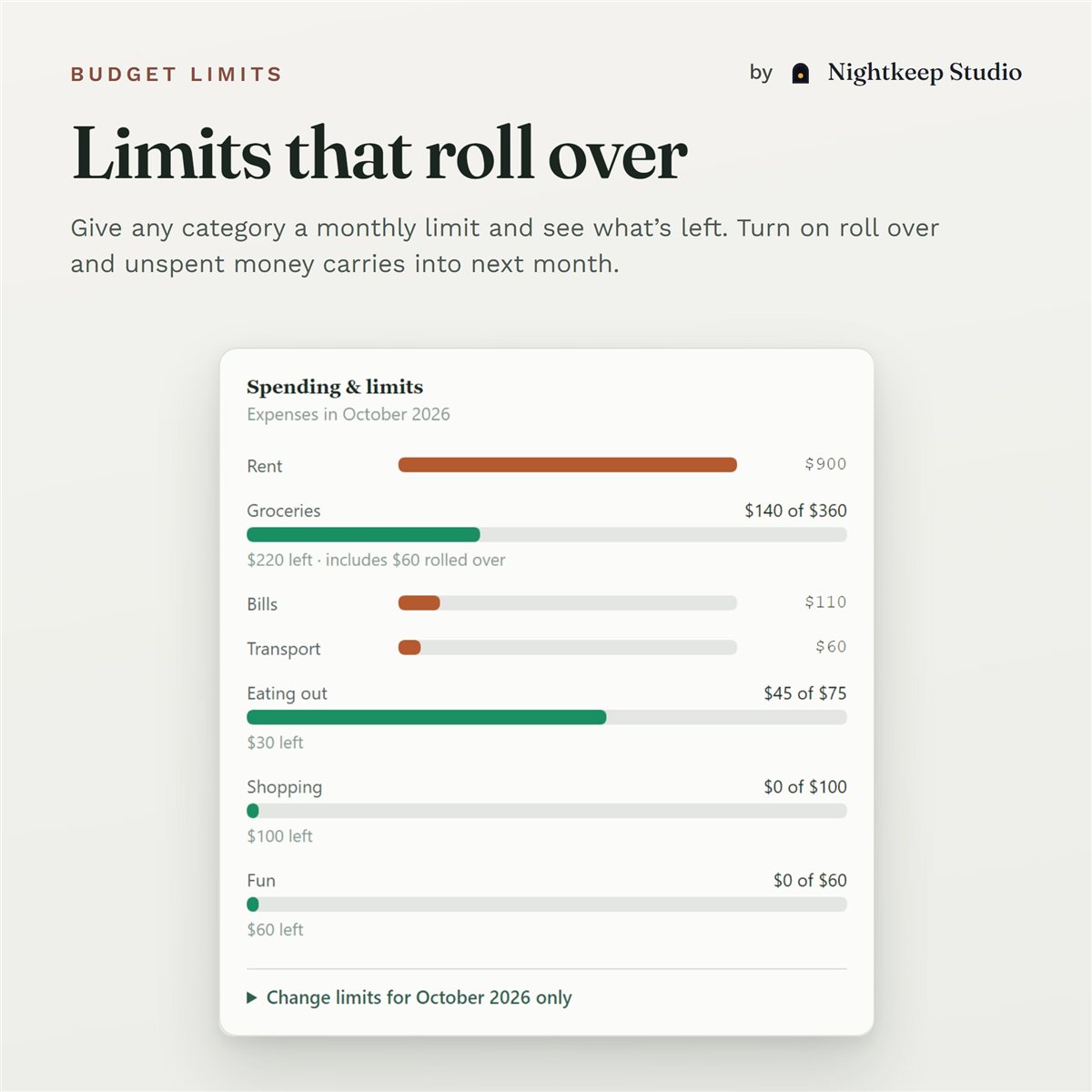
See this month's income, spending, what's left and your savings rate. Give a category a monthly limit and Cloverday shows how much is left — turn on roll over and unspent money carries into next month. Set pay and bills to repeat, then add or skip them when they come due. Your own categories, in your own currency.
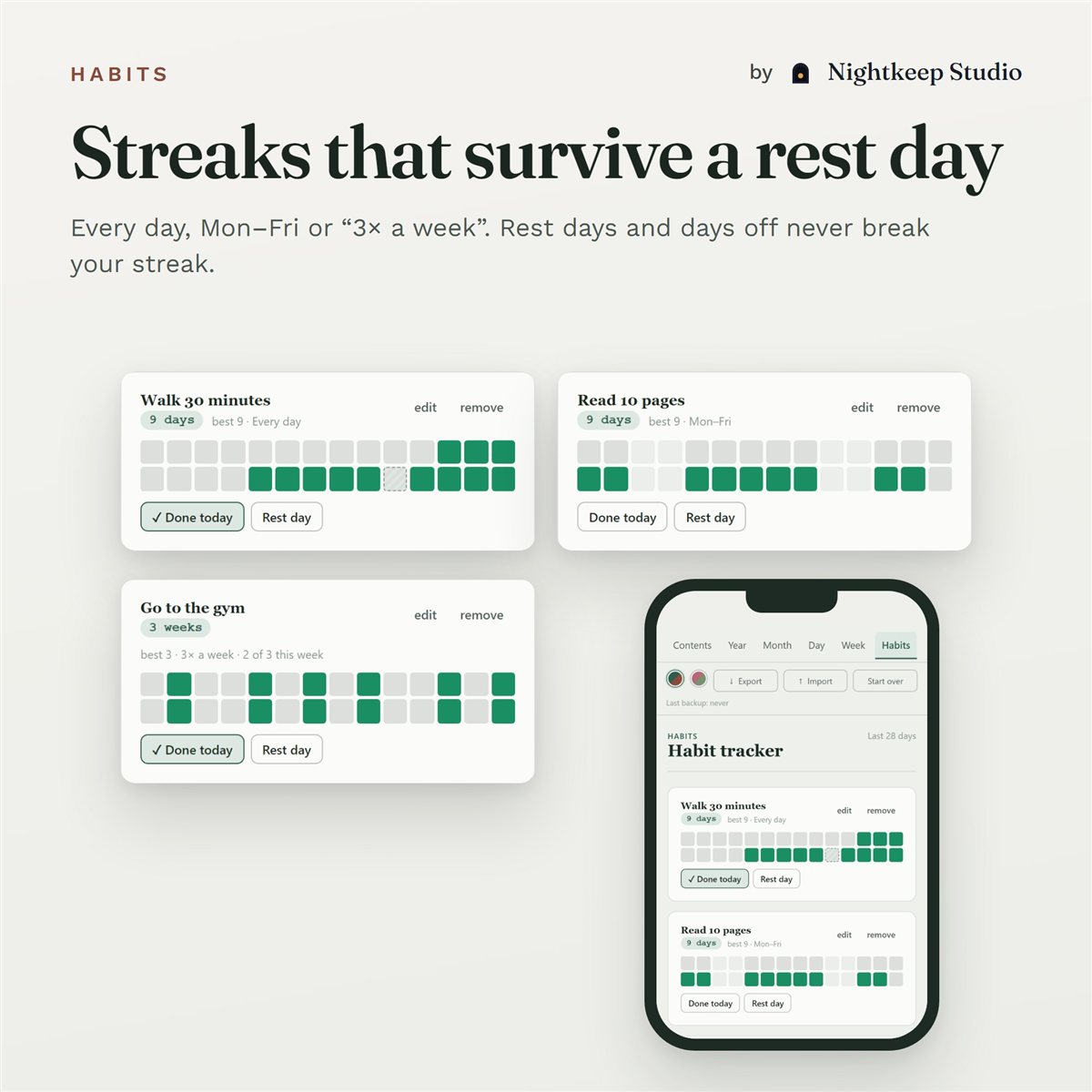
Habits run on your schedule — every day, Mon–Fri, weekends or "3× a week" — and a rest day never breaks your streak. Goals show whether you're ahead, on pace or behind for your target date, and money goals fill up from what you log to a budget category.
No — Cloverday is a browser-based, interactive planner, not a PDF for annotation apps. You don't print it or write on it by hand; tasks, habits, and charts update automatically as you use it.
Any modern browser — Chrome, Safari, Edge, or Firefox — on desktop or mobile. No sign-up, no install, and no internet connection required after you first open it.
Locally, in that browser's storage. Use the built-in export/import to back up your data as a file and move it to another device or browser.
No. You log entries yourself, there are no reminders, and your phone and laptop don't sync automatically — use Export/Import backup to move your data between them.
No. Cloverday is a one-time purchase.